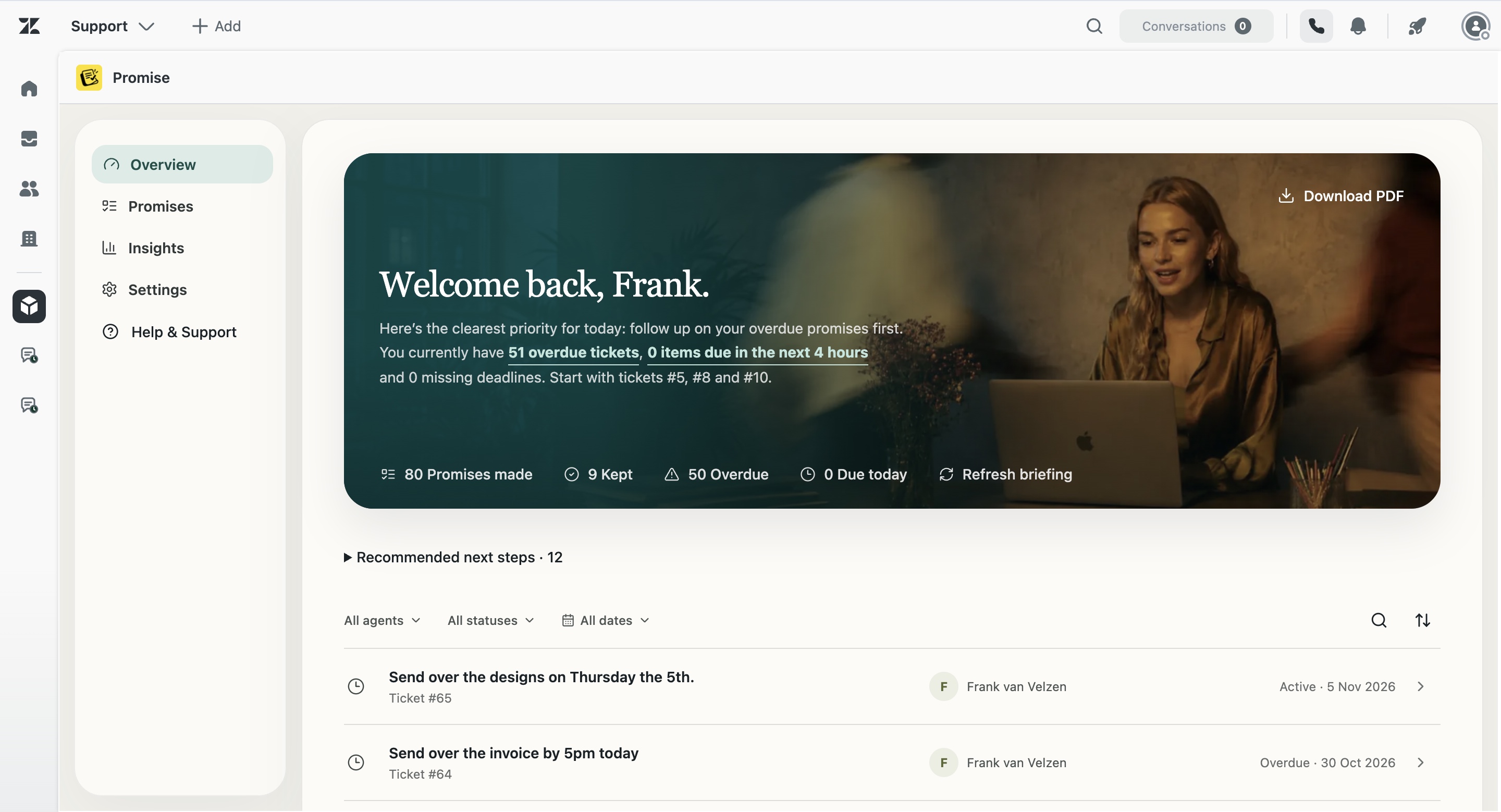

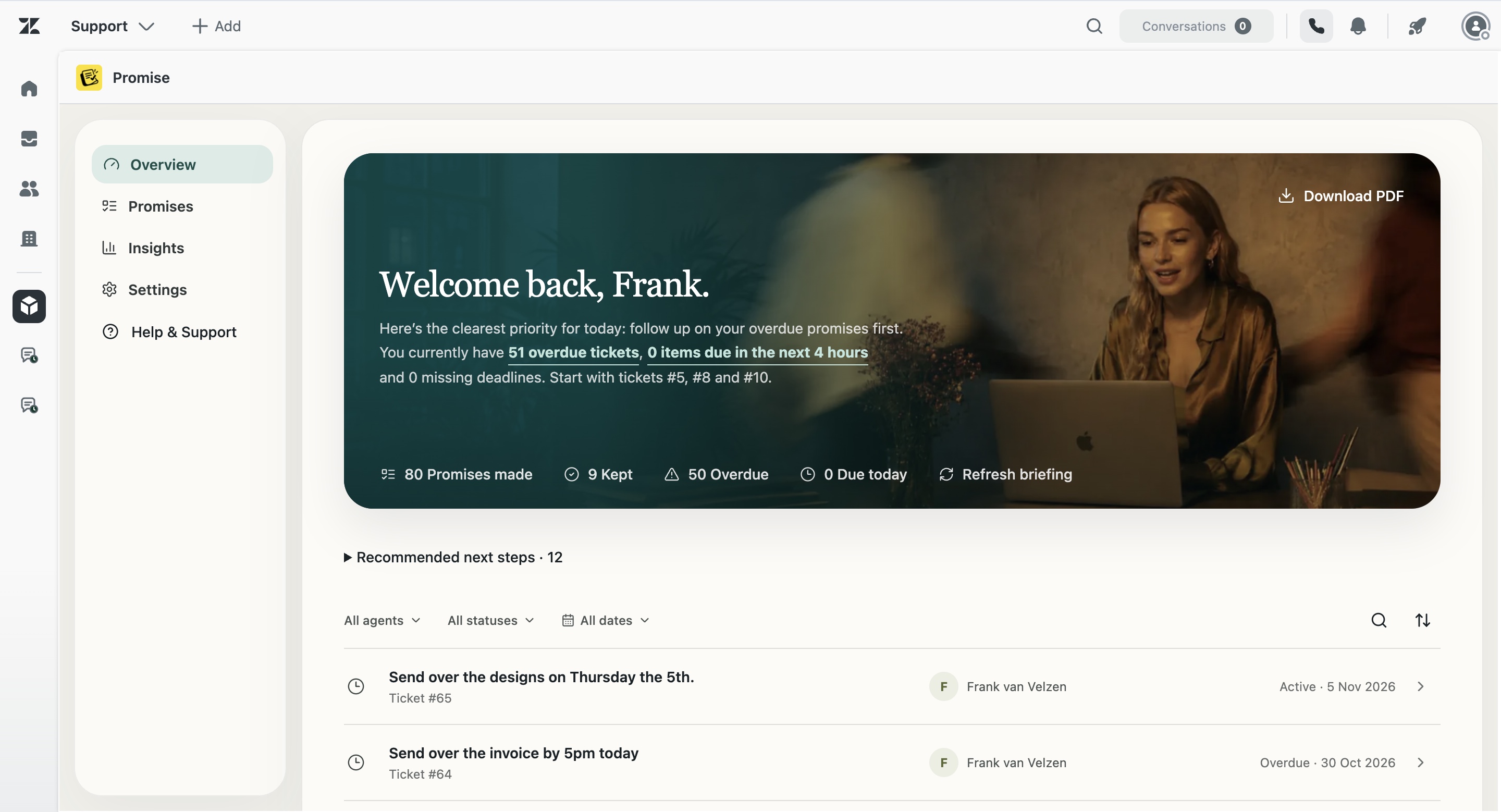
What Promise tracks
A support reply can contain a future obligation even when the ticket itself is solved or waiting on someone else. Promise keeps the specific action, its owner, its deadline and its current state together. It is built for statements such as “I’ll send the corrected invoice tomorrow” or “I’ll ask engineering and come back to you Friday.”
Why an SLA is not the same thing
Zendesk SLAs describe service targets at ticket level. A customer commitment is created dynamically in the conversation and can have its own wording, dependency and date. Promise complements SLAs by making that conversational obligation visible.
What teams can see
Agents can review their own commitments, correct a detected item, set a deadline and open the source ticket. Managers can see team-level status, filter by agent or period, review overdue work and use the daily briefing or activity history to decide where support is needed.
What it costs
Promise costs $5 per agent/month. There are no other public plans, discounts or minimum seat claims on this site. Promise is not yet live on the Zendesk Marketplace.
Examples from real support work
I’ll check with the warehouse and update you tomorrow.
I’ll ask engineering and come back to you Friday.
I’ll confirm with the hotel and update you this afternoon.
I’ll contact the carrier and send the latest status tomorrow.
Product tour
See Promise in action
A complete product tour is being prepared. Until then, explore the verified workflow and product screenshots on this page.
Questions about customer commitment tracking for Zendesk
What is Promise?
Promise is a Zendesk app by Otisa for identifying and tracking customer commitments in agent replies.
What happens when a commitment is overdue?
It appears with an overdue state in Promise and can be surfaced through the configured dashboard, reminder and internal Zendesk actions.
Does Promise replace Zendesk SLAs?
No. SLAs and customer commitments address different needs and can be used together.