
The manual approach
Teams can add tags, custom fields, internal notes, tasks or external reminders. This can work, but the agent must consistently recognize the promise and copy the right details before moving on.
The Promise approach
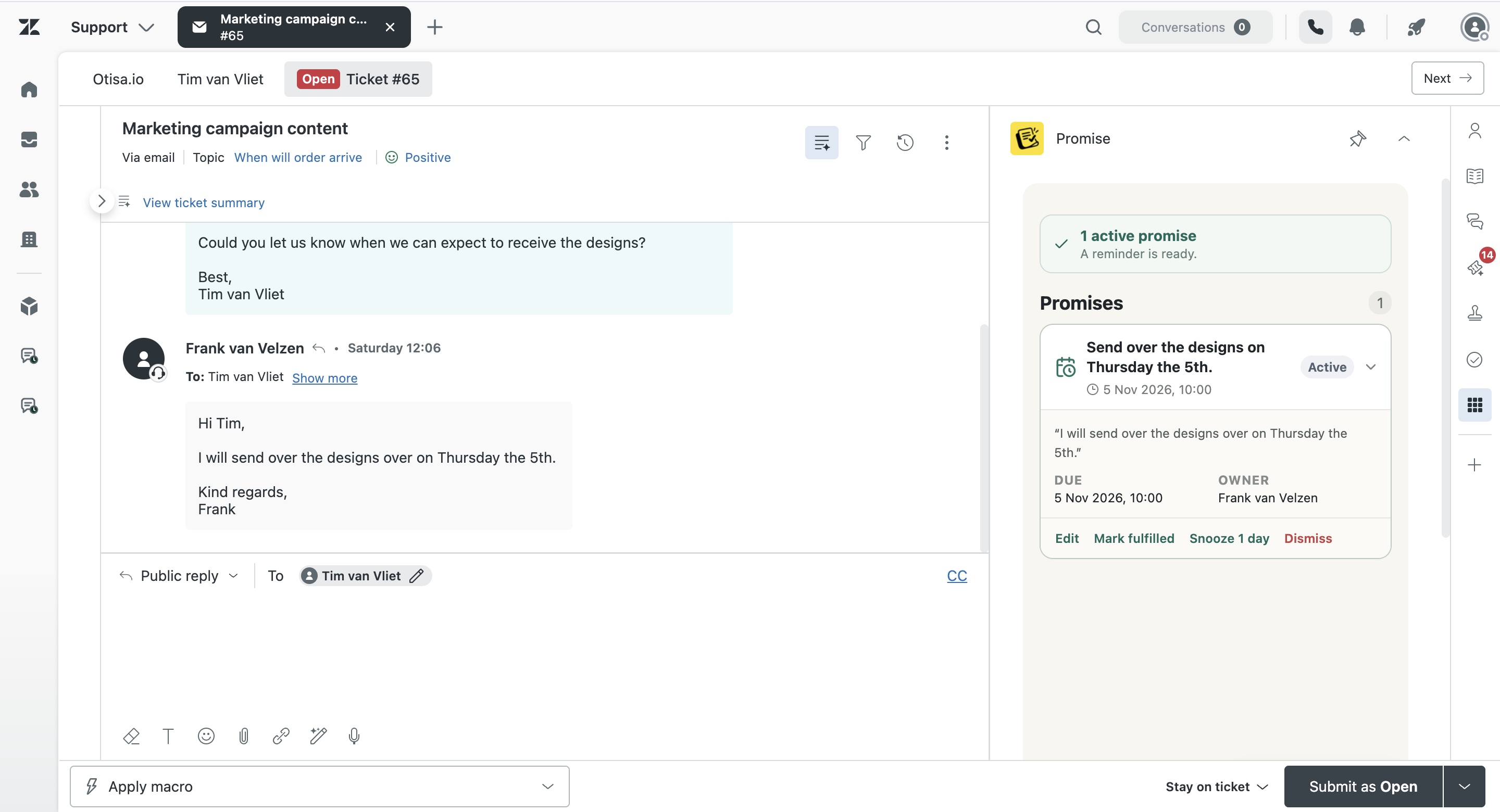
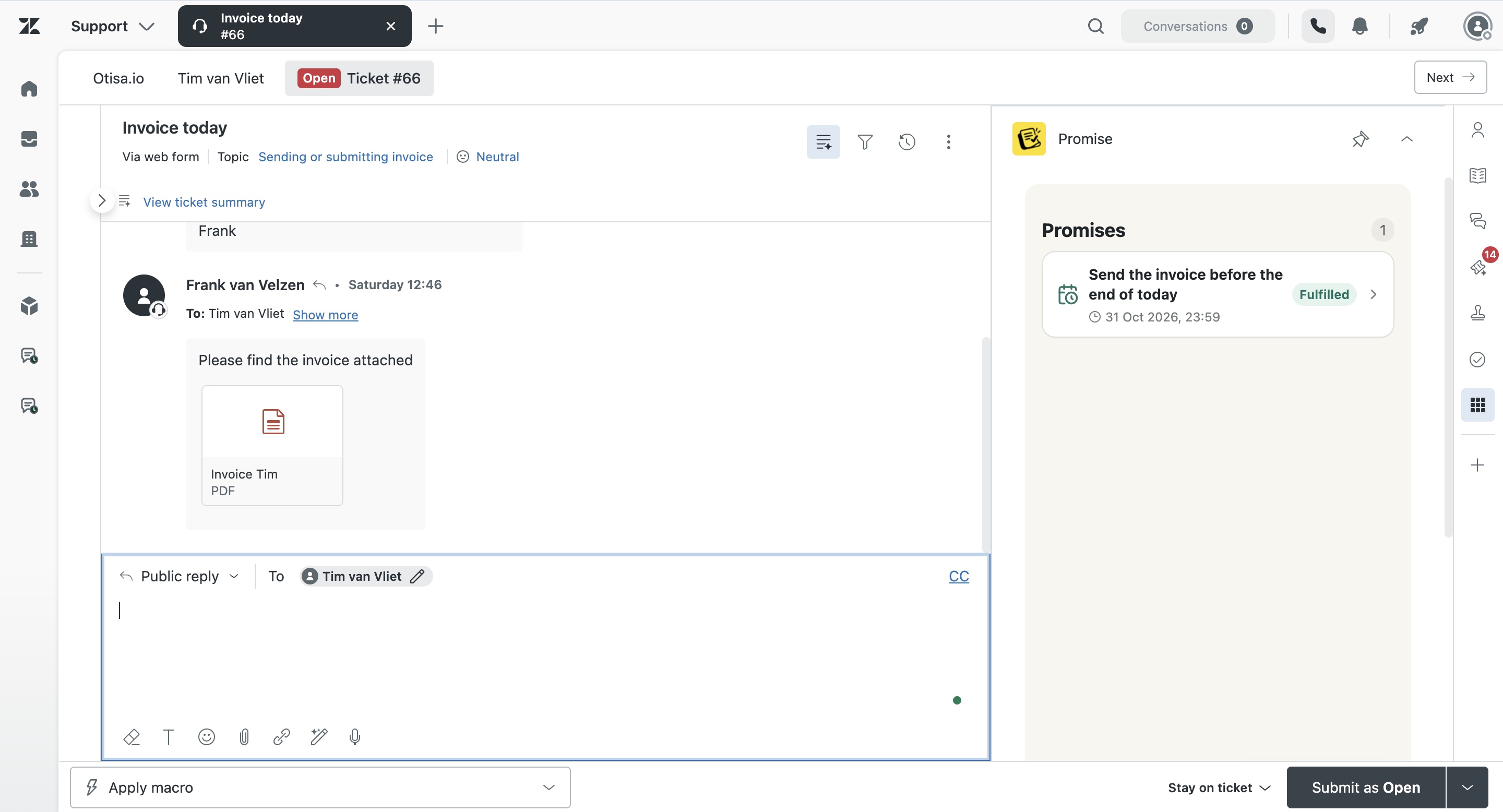
Promise detects language such as “I’ll update you tomorrow,” captures the source wording and creates a trackable commitment. Agents can review the result, while managers can filter the team view and open the original ticket.
A reliable process
Define what counts as a promise, insist on clear timeframes where possible, review detections, keep external dependencies visible and close the loop in the customer conversation. Technology helps preserve the obligation; it does not replace ownership.
How Promise handles this in Zendesk
Promise is built around the commitment as a separate operational object. It keeps the original wording, a concise summary, owner, due date, status and source ticket together. Agents can review and correct the record. Managers can see team status and open the underlying ticket before acting.
Promise costs $5 per agent/month and is not yet live on the Zendesk Marketplace. AI results can be incomplete or incorrect, so the product supports human review rather than claiming perfect detection.
Examples from real support work
I’ll check with the warehouse and update you tomorrow.
I’ll ask engineering and come back to you Friday.
I’ll confirm with the hotel and update you this afternoon.
I’ll contact the carrier and send the latest status tomorrow.
Questions about track promises in Zendesk
Can Zendesk track promises without an app?
Teams can approximate it with fields, tags, notes and external tools, but those workflows require manual capture.
Does Promise detect implied commitments?
It can interpret ordinary future-action language, but ambiguous statements should be reviewed.
Where does the tracked item live?
Promise shows it in Zendesk app views and links it to the source ticket.