
From sentence to record
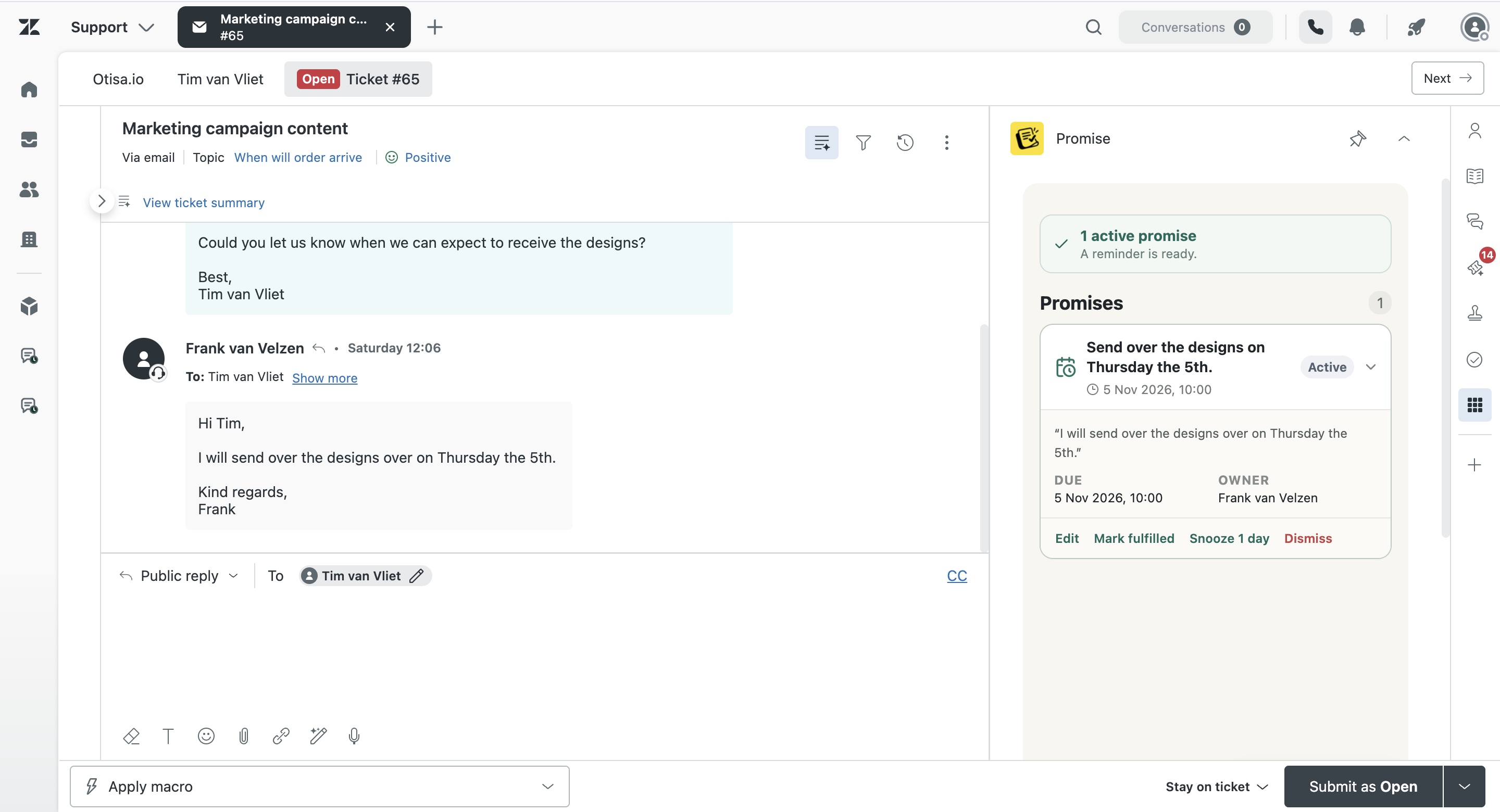
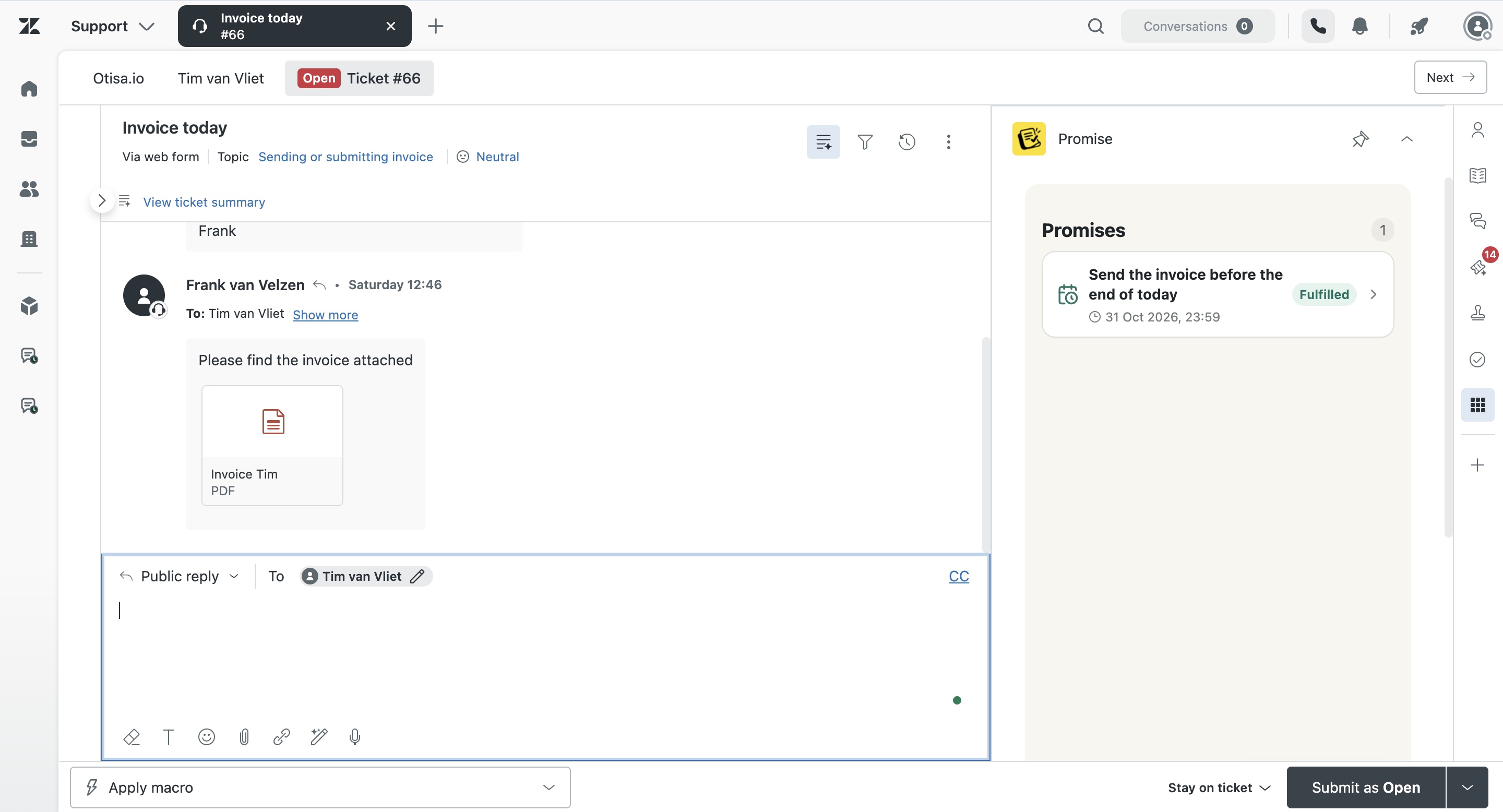
An agent works normally in Zendesk. When a reply contains future action—“I’ll send the tracking link tomorrow”—Promise can identify the wording, summarize the action and interpret the due phrase. A person can review the result before relying on it.
The agent workflow
- Reply in Zendesk
The commitment remains part of the normal customer conversation. - Review the detection
Check the summary, owner and deadline; add a deadline if one is missing. - Track the status
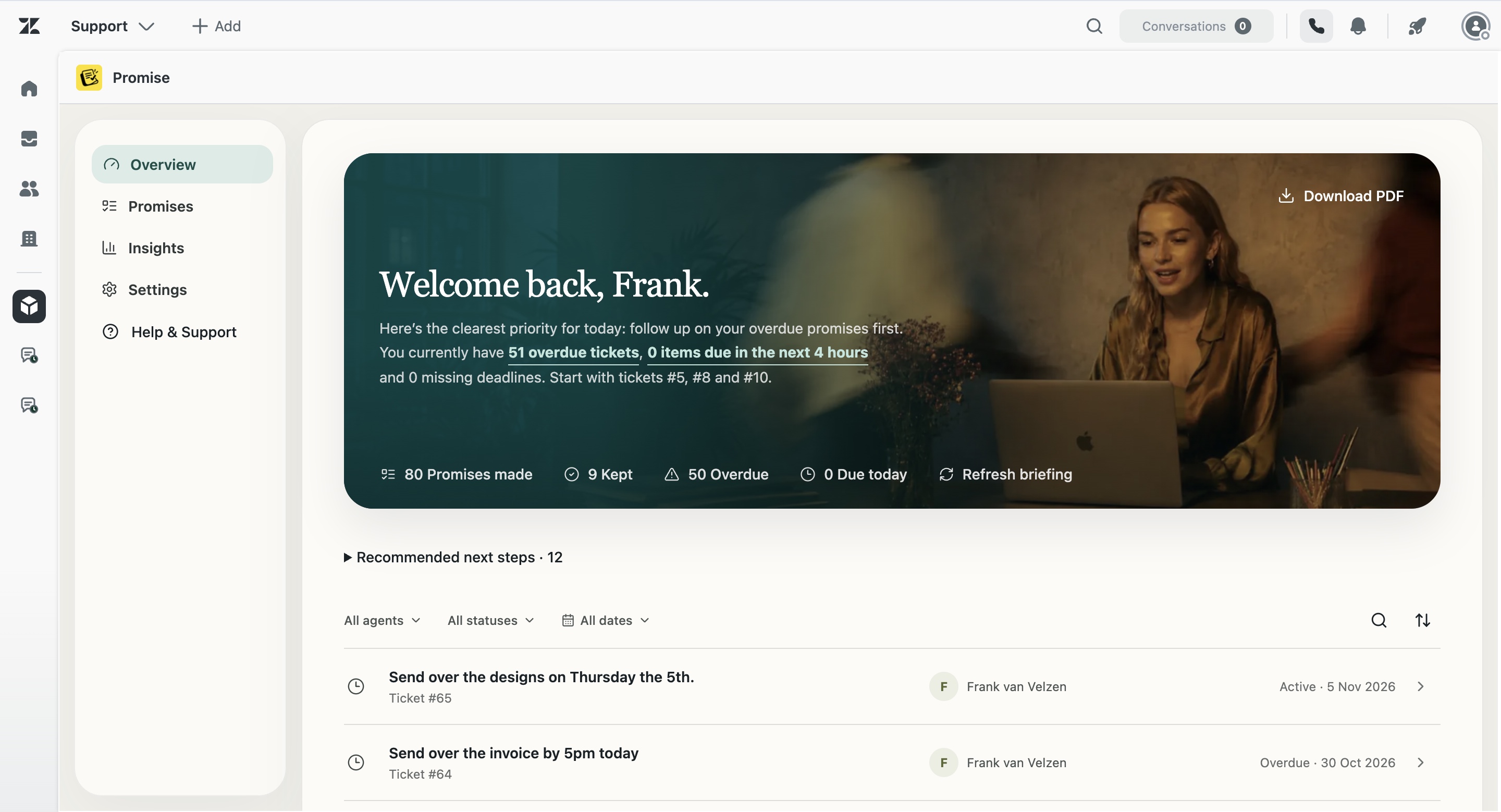
See active, due soon, due today or overdue work in Promise. - Close the loop
Open the ticket, update the record, dismiss it or mark it kept.
The manager workflow
Managers see team counts and commitments that need attention. Filters narrow the view by agent, status and period. The daily briefing summarizes current priorities, while activity history records detection, edits, reminders and completion events.
Human review matters
AI interpretation is useful but fallible. Promise can miss a promise, flag a sentence that is not a promise or assign the wrong date. The workflow deliberately includes editing, dismissal and deadline correction.
Product tour
See Promise in action
A complete product tour is being prepared. Until then, explore the verified workflow and product screenshots on this page.
Questions about how Promise works
Does an agent have to change how they write?
No. Promise is designed to work with ordinary commitment language in Zendesk replies.
Can a deadline be corrected?
Yes. The product interface lets authorized users edit the due date.
Can a manager open the original ticket?
Yes. Promise includes an action to open the Zendesk ticket associated with a commitment.